

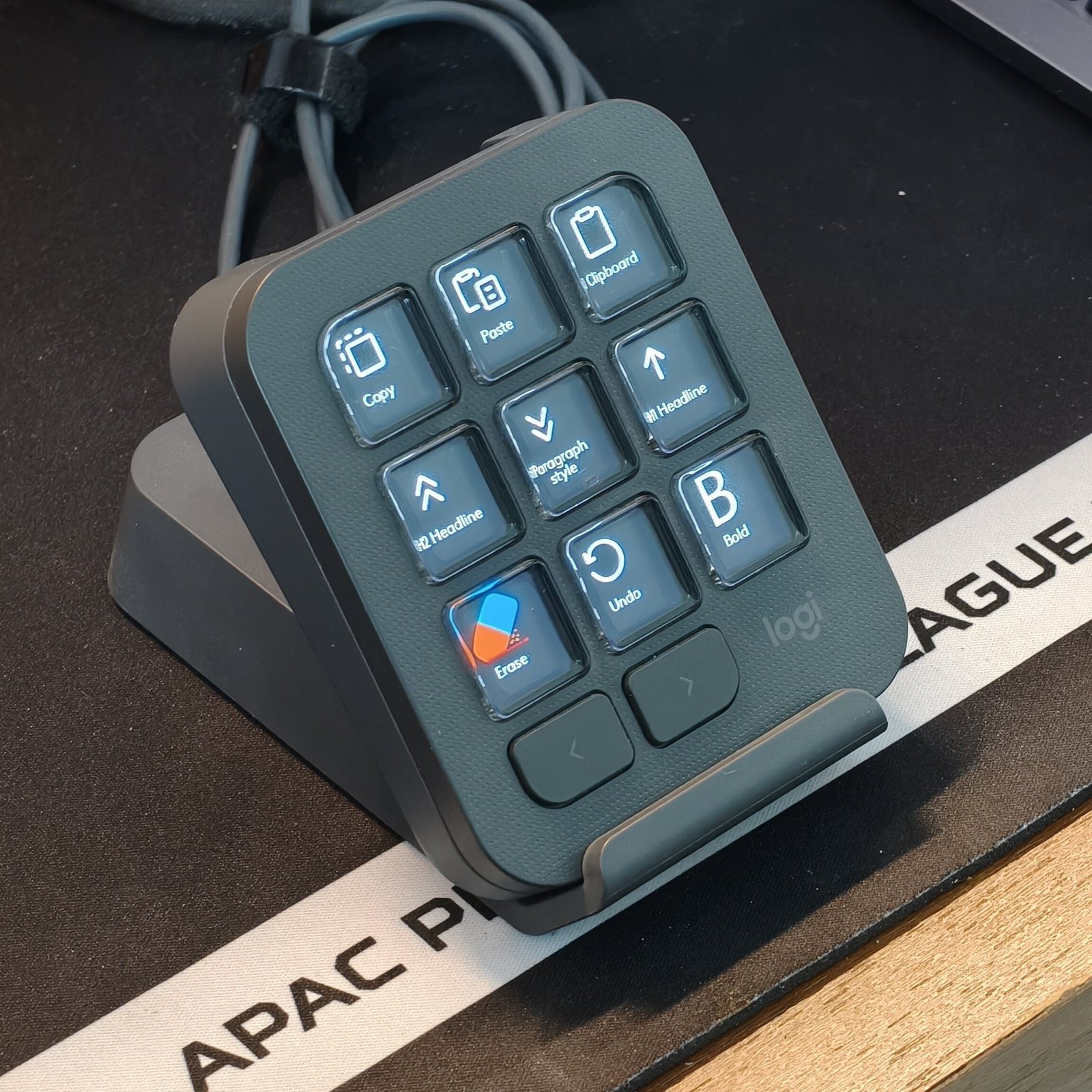
The Logitech MX Keypad is designed to eliminate the tedium of repetitive daily tasks. While initially marketed toward software developers and programmers, real-world testing proves it is a versatile automation tool for a wide array of professionals—from writers and content creators to video editors and streamers. However, a few ergonomic quirks and hardware trade-offs prevent it from reaching complete perfection.
Key Highlights & Specifications
-
Price: ₹10,995 (MRP ₹15,999)
-
Keys: 9 customizable LCD buttons + 2 page-shift navigation keys
-
Software: Logi Options+ (compatible with Windows and macOS)
-
Connectivity: Wired via USB-C for low-latency responsiveness
-
Build & Finish: Matte body with a fingerprint-resistant, understated top panel
Design & Ergonomics: Solid Construction with Minor Quirks
Logitech delivers a minimalist, sleek design in Graphite that effortlessly blends into modern desk setups. The 3×3 layout of LCD macro keys features individual customizable displays that toggle crisp icons based on assigned commands.
The Good
-
Smudge-Resistant Coating: The reflective housing around the keys resists fingerprints and keeps the keypad looking clean.
-
Reassuring Build Quality: Despite its plastic construction, the chassis feels dense, solid, and durable enough to withstand minor accidental drops.
-
Thoughtful Details: Rubberized grips at the base keep the unit firmly anchored, while a cable-management slot on the included stand keeps excess wiring tidy.
The Bad
-
Mushy Key Actuation: Despite triggering actions instantly without lag, the 9 main LCD macro keys lack tactile clickiness and feel mushy when pressed.
-
Awkward Incline Angle: The native 35° resting angle puts uncomfortable pressure on the wrist during extended use. Using the included bundled stand (which raises it to a 45° angle) is virtually required to maintain comfortable posture.
-
Mild Heat Generation: After an hour or two of continuous use, the backlighting from the 9 LCD keys causes the surface to feel slightly warm.
Software & Customization: Where the MX Keypad Shines
Pairing the hardware with the Logi Options+ app unlocks its full capabilities. The software allows users to assign simple system shortcuts or create multi-step automated routines across 11 distinct command categories.
Highlights of Software Automation:
-
Multi-Action Sequences: Perform multiple keystrokes automatically with a single press (e.g., pasting text and instantly executing an Enter command).
-
AI & Prompt Efficiency: The Multi-toggle feature allows users to cycle through complex, pre-written prompts sequentially when interacting with tools like ChatGPT.
-
App-Specific Profiles: Features tailor-made command sets and shortcuts for creative and work applications like Adobe Premiere Pro, Microsoft Word, VS Code, and Slack.
-
Infinite Pages & Custom Profiles: If 9 physical keys aren’t enough, page-shift buttons let users cycle between multiple pages of shortcuts or import JSON-formatted custom macros.
Pros & Cons
Reasons to Buy
-
Versatile Automation: Excellent multi-action macro tools tailored for programmers, writers, editors, and casual users alike.
-
Deep Software Integration: Logi Options+ provides easy navigation, wide OS compatibility, and pre-built application shortcuts.
-
Solid & Stylish Design: Minimalist aesthetics, fingerprint-resistant paneling, and sturdy construction.
Reasons to Avoid
-
Lacks Tactile Feedback: Keys feel spongy rather than clicky or tactile.
-
Dependent on the Stand: Ergonomics feel uncomfortably flat without using the separate bundled riser.
-
Wired-Only Requirement: Lacks wireless/Bluetooth operation, adding another permanent cable to your desk setup.
-
Slight Surface Warmth: LCD screens generate noticeable heat over long work sessions.
Verdict
The Logitech MX Keypad is a highly capable productivity tool that delivers on its promise to streamline workflows and reduce repetitive strain. While key feel, wired constraints, and built-in angles leave room for future iteration, its software flexibility and time-saving automation make it a worthwhile investment for anyone looking to optimize their daily computer routines.
