

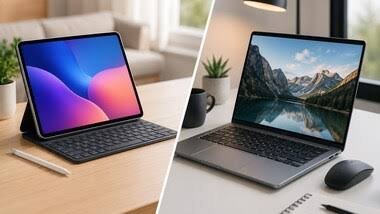
Slipping a slim tablet into your bag is an alluring alternative to lugging around a heavy laptop. With advancements in desktop-style operating systems, high-refresh-rate displays, and powerful chipsets, tablets are increasingly capable of handling demanding workflows. However, Samsung Galaxy Tabs and Apple iPads take distinctly different paths to laptop replacement.
Direct Comparison: Flagship & Mid-Range Models
| Category | Samsung Galaxy Tab Series | Apple iPad Series |
| Multitasking & OS | Samsung DeX Mode: Offers a true desktop windowing interface with draggable windows and taskbar support. | iPadOS: Fluid tablet-first interface; Stage Manager provides multi-window support but retains a mobile-centric feel. |
| In-Box Value | S Pen Included: Low-latency stylus comes bundled in the box at no additional cost. | Apple Pencil Sold Separately: Requires an additional purchase for stylus functionality. |
| Storage Flexibility | Expandable: Select models include a microSD card slot for expandable storage. | Fixed Storage: No external storage expansion; storage tier chosen at purchase is final. |
| Creative Software | Good Android suite (Photoshop, Premiere, Clip Studio), though feature sets can vary. | Industry Gold Standard: Access to full pro apps like Final Cut Pro, Logic Pro, and Procreate. |
| Display Technology | Vibrant Dynamic AMOLED 2X panels with 120Hz refresh rates across most tier levels. | High-end Ultra Retina XDR (OLED) on Pro models; Liquid Retina (LCD) on mid-tier Air models. |
Feature & Performance Breakdown
1. Productivity & Multitasking: DeX vs. Stage Manager
-
Samsung Galaxy Tab: Samsung’s key productivity advantage is DeX Mode. It converts the Android interface into a traditional desktop layout complete with a taskbar, resizable floating windows, and seamless external monitor mirroring.
-
Apple iPad: Powered by high-performance M-series chips (M4/M5), iPads handle raw processing tasks with ease. However, iPadOS relies on Stage Manager for multi-window workflows, which can feel less versatile for traditional desktop file management compared to DeX.
2. Accessories & Value proposition
-
Stylus Integration: Every flagship and FE-series Galaxy Tab includes the S Pen in the box. Apple requires users to purchase the Apple Pencil separately, adding to the initial setup cost.
-
Keyboards & Trackpads: Both brands offer top-tier keyboard covers featuring built-in trackpads (such as Apple’s Magic Keyboard and Samsung’s Book Cover Keyboard), turning either tablet into a 2-in-1 hybrid workstation.
3. Creative Applications & Ecosystem
-
For Video Editors & Musicians: The iPad remains the dominant choice for creative professionals due to exclusive access to optimized applications like Final Cut Pro, Logic Pro, and Procreate.
-
For Document Work & General Business: Samsung Galaxy Tabs excel in split-screen office productivity, spreadsheet navigation, and general media consumption, backed by water resistance (IP68) on flagship builds.
Featured Models in the Segment
-
Apple iPad Air 11″ (M4): Balances high-end performance with portability, featuring Liquid Retina display and Wi-Fi 7 (₹74,999).
-
Apple iPad Pro 11″ (M5): Premium flagship featuring an Ultra Retina XDR display, M5 processing power, and 5G cellular capabilities (₹1.64 Lakh).
-
Samsung Galaxy Tab S10 FE: Smart-choice budget productivity tablet with an in-box S Pen, DeX Mode, and 10.9-inch display (₹43,999).
-
Samsung Galaxy Tab S10+: Features a 12.4-inch Dynamic AMOLED 2X screen, 12GB RAM, 256GB storage, and included S Pen (₹1.02 Lakh).
-
Samsung Galaxy Tab S12+: High-end 12.6-inch AMOLED tablet featuring a hexagonal S Pen, AI productivity suites, and 12GB RAM (₹1.30 Lakh).
Verdict: Which Should You Buy?
-
Choose a Samsung Galaxy Tab if: You want a traditional desktop-like windowing interface (DeX), expandable storage options, a bundled stylus out of the box, and a superior AMOLED display for multimedia at a lower total cost of ownership.
-
Choose an Apple iPad if: You require industry-standard creative apps (Final Cut Pro, Logic Pro), need raw M-series processing power, or are already deeply integrated into the Apple ecosystem (Mac, iPhone, Apple Watch).
