

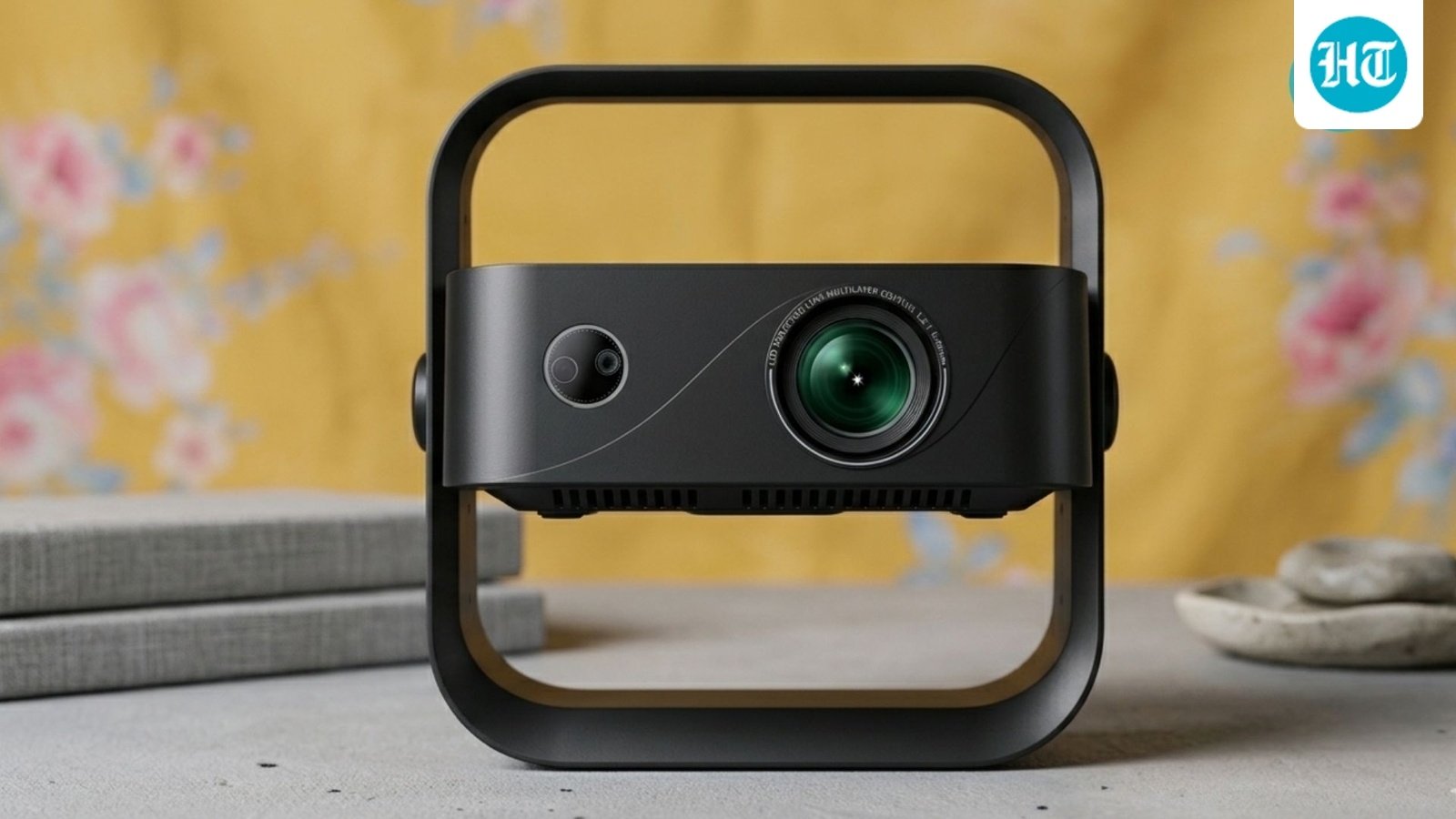
A few years ago, buying a smart projector under ₹20,000 meant braced-for compromises: blurry images, sluggish streaming apps, and a painful calibration setup every single time you moved the device. The Wzatco Yuva Go Ultra aims to shatter those low expectations by packing premium tech—Native 1080p resolution, Google TV, automatic calibration, and a sealed optical engine—into a highly affordable package.
After spending two weeks testing it with dim cinematic dramas, fast-paced action sequences, and everyday afternoon streaming, here is our definitive verdict on whether this portable projector can truly replace your television.
Design and Build: Genuinely Portable
The first thing you will notice about the Wzatco Yuva Go Ultra is its compact footprint. Weighing just over a kilogram, it is light enough to carry from your living room coffee table to a bedroom nightstand using one hand. It features a clean, minimal matte body and a built-in tilt bracket. This bracket is incredibly useful, allowing you to angle the projection upward without needing to prop the device on a stack of books.
The top panel includes physical control buttons for those moments when the remote control goes missing. Wzatco has also chosen a sealed optical engine for this model. Unlike open-lens housings found in most budget options, which gather dust and fade over time, this sealed structure ensures internal clarity for a claimed lamp lifespan of up to 50,000 hours.
The Setup Experience: A Massive Win
The standout feature of the Yuva Go Ultra is its hassle-free automation. Most sub-₹20k projectors force you to tinker with manual trapezoidal corrections for 10 minutes every time the machine shifts an inch.
The Yuva Go Ultra completely automates this process. Thanks to built-in smart sensors, the device triggers three features simultaneously within seconds of powering on:
-
Auto-Focus
-
Auto-Keystone Correction
-
Auto-Obstacle Avoidance
Whether it was set up on a low coffee table, a side console, or balanced on a small stool, the projector squared and sharpened the image immediately without requiring manual remote adjustment.
Picture Quality and Real-World Performance
The Yuva Go Ultra uses a native 1920 × 1080p panel (with 4K HDR input support). While it can project up to a massive 200-inch screen size, the sweet spot for maximum clarity and brightness lies right around the 100-inch mark.
-
Dark Scene Contrast: During dark, shadow-heavy scenes, the projector’s 7000:1 contrast ratio performs admirably. It won’t match a premium OLED TV—the deepest blacks lean closer to a charcoal hue—but subjects stay cleanly separated from shadows in a darkened room without washing out details.
-
Color Accuracy: The colors are surprisingly rich and natural. Rather than oversaturating skin tones to compensate for a cheaper LED bulb, it keeps tones balanced and grounded.
-
Daytime Visibility: Pumping out 600 ANSI Lumens (13,000 source lumens), the image holds up well in indirect afternoon light with the curtains drawn. However, like any budget projector, opening your curtains fully to bright daylight will wash the picture out fast. This device is at its best during evening hours.
-
Motion Smoothing: Equipped with MEMC (Motion Estimation, Motion Compensation) hardware, the projector handles fast-moving action sequences smoothly. There is an occasional soft frame during rapid camera pans, but nothing jarring enough to ruin your casual viewing experience.
Software and Audio Hardware
Google TV (Android 14)
Budget software stutters can ruin a great display. Fortunately, Wzatco includes an official Google TV interface running on Android 14. Navigating through Netflix, Prime Video, and YouTube feels smooth and familiar. Backed by Wi-Fi 6, high-definition 1080p content loads swiftly without buffering delays.
The Hardware Limitation: Keep in mind that the device utilizes a modest 1GB RAM and 8GB storage configuration. While it streams flawlessly, system menus or heavy applications can take an extra beat to load, and there isn’t much space for storing offline downloads.
The Onboard Audio
The built-in 5W speaker is clear enough for dialogue and loud enough to fill a standard bedroom, but the bass response is distinctly thin. Immersive cinematic scores can end up sounding flat. For an authentic home theater environment, plan on pairing an external soundbar via the Bluetooth 5.0 or HDMI ARC connection.
Specifications at a Glance
| Attribute | Specification Details |
| Native Resolution | 1920 × 1080p (4K HDR Supported) |
| Brightness | 600 ANSI Lumens / 13,000 Source Lumens |
| Contrast Ratio | 7000:1 |
| Operating System | Official Google TV (Android 14) |
| Wireless Tech | Wi-Fi 6 & Bluetooth 5.0 |
| Physical Ports | 1x HDMI (ARC), 1x USB, 1x 3.5mm AUX |
Pros and Cons
Reasons to Buy
-
Crisp, native 1080p projection with excellent color reproduction.
-
Flawless auto-focus, auto-keystone, and obstacle avoidance systems.
-
Smooth, official Google TV interface out of the box.
-
Compact design with a protective sealed optical engine.
Reasons to Avoid
-
The built-in 5W speaker lacks punchy bass.
-
Only features a single HDMI port (requires a switcher if you have multiple consoles/sticks).
-
The 1GB RAM can occasionally cause slight menu navigation lag.
The Verdict: Can it Replace Your TV?
If you are looking to replace a high-end living room TV that stays on all afternoon in bright daylight, the Wzatco Yuva Go Ultra isn’t the right fit.
However, for renters, students, bedroom setups, or cinema enthusiasts building a budget night-time home theater on a wall, it is an incredible value. For ₹17,990, it delivers on its key promises: an ultra-crisp 100-inch picture, modern smart software, and a setup process that requires almost zero effort.
Disclaimer: This review is based on independent product evaluation. This publication holds affiliate partnerships, meaning a minor portion of sales revenue may be shared if you purchase items via our links.
