

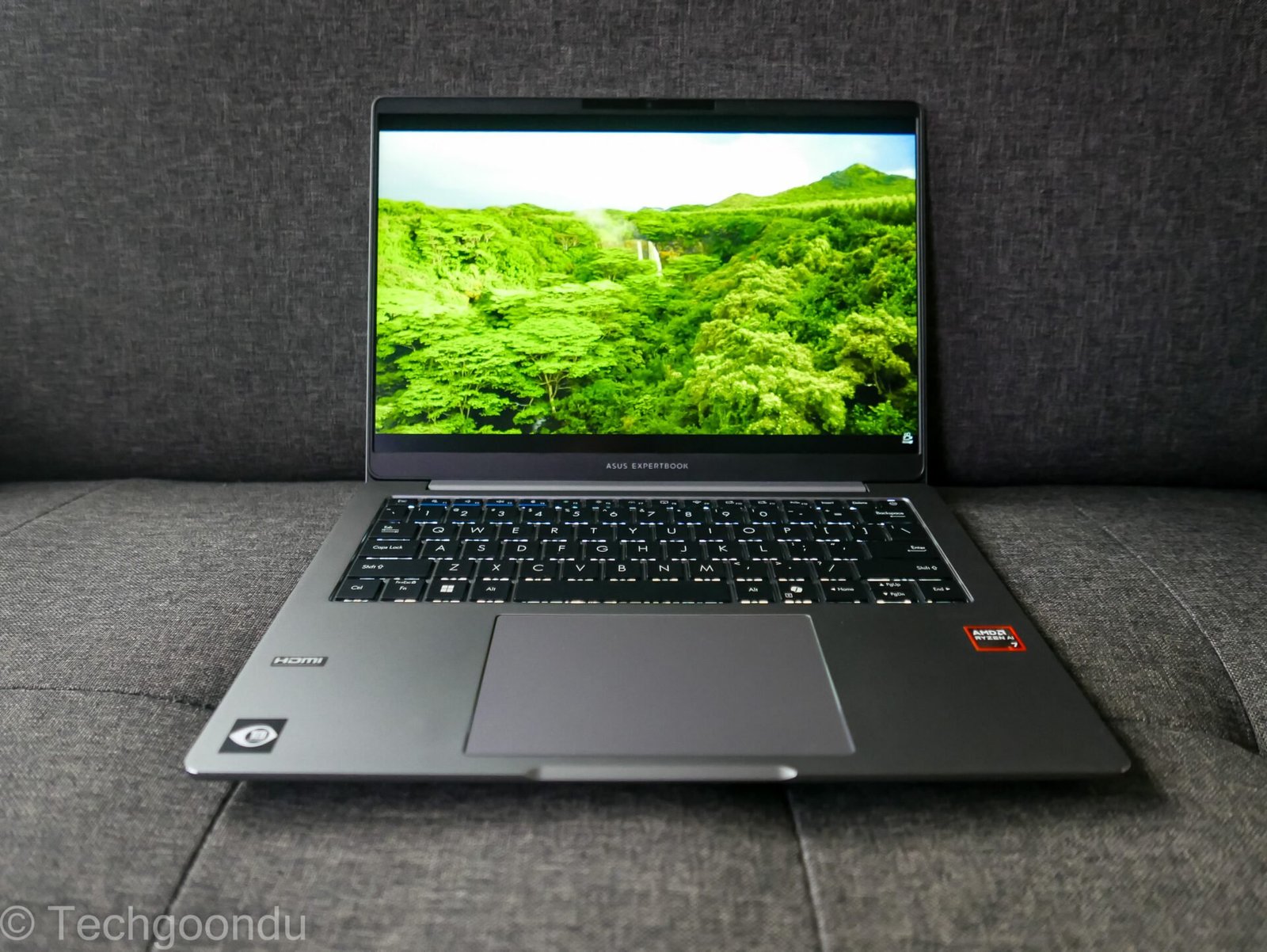
The Asus ExpertBook P3 (2026) arrives at a time when rising component costs make buying a dependable business laptop an expensive endeavor. Priced starting around ₹82,500, the ExpertBook P3 aims to buck this trend by offering robust processing power and exceptional upgradeability without a luxury price tag.
Tested here in its configuration featuring the Intel Core Ultra 7 255H, 16GB DDR5 RAM, and a 512GB NVMe SSD, the laptop makes calculated trade-offs to keep costs under control.
Key Specifications at a Glance
-
Display: 14-inch WUXGA (1920 x 1200) IPS anti-glare display, 60Hz refresh rate, 300 nits brightness, 45% NTSC color coverage
-
Processor: Intel Core Ultra 7 255H (16 cores, 16 threads, max boost up to 5.1GHz)
-
Graphics: Intel Graphics (Arc 140T capable)
-
Memory & Storage: 16GB DDR5 5600MHz RAM (single-channel configuration out of the box), 512GB PCIe 4.0 NVMe SSD
-
Ports: Thunderbolt 4, full-function USB-C, 2x USB-A, HDMI 2.1, full-size Gigabit Ethernet (RJ45), 3.5mm headphone jack
-
Battery & Charging: 50Wh battery paired with a 65W USB-C charger
-
Build & Durability: Polycarbonate + ABS plastic chassis with internal metal reinforcement, MIL-STD 810H certified, spill-resistant keyboard, weighs 1.49kg
Design and Build Quality: Practical over Premium
The ExpertBook P3 is unashamedly utility-driven. Constructed largely from polycarbonate and ABS plastic, the machine features a basic aesthetic finish on the main deck, though a metallic top lid and shiny Asus logo add a touch of professionalism.
Weighing 1.49kg and featuring a relatively slim profile, it is easy to carry daily. Crucially, Asus hasn’t sacrificed connectivity: you get a full-size Gigabit Ethernet port, Thunderbolt 4, multiple USB-A ports, and HDMI 2.1. Furthermore, the chassis boasts internal metal reinforcement and passes 24 MIL-STD 810H durability tests alongside a spill-resistant keyboard.
Display: Functional for Office Work
The 14-inch 16:10 WUXGA panel offers sharp text and an anti-glare coating that handles office lighting well. However, capped at a 60Hz refresh rate and 300 nits of brightness with 45% NTSC coverage, color reproduction is basic. It is entirely adequate for spreadsheets, document editing, and coding, but creative professionals should look elsewhere.
Performance & The RAM Catch
-
CPU Power: Powered by the Intel Core Ultra 7 255H, the laptop breezes through heavy office multitasking, large data sets, and everyday productivity apps without breaking a sweat.
-
The Single-Channel Bottleneck: Out of the box, the system ships with a single 16GB DDR5 memory stick leaving the second SO-DIMM slot empty. Because Intel’s Arc 140T integrated graphics rely heavily on dual-channel bandwidth, graphics performance takes a severe hit (for instance, gaming frame rates like in Counter-Strike 2 drop significantly).
Fortunately, upgradability is a major strength. The laptop features two accessible SO-DIMM slots and dual M.2 PCIe 4.0 SSD slots, meaning you can easily add a second RAM stick to unlock its full graphical potential—though you will need to factor in current RAM market prices.
Security, AI, and Battery Life
-
Business Security: Includes hardware-level protection like TPM 2.0, Secure Boot, a webcam privacy shutter, a fingerprint reader embedded in the power button, and 5 years of BIOS/driver security updates. AI features like ExpertMeet offer useful noise cancellation, live transcription, and translation tools.
-
Battery: The 50Wh battery is modest for an H-series processor. Real-world office use yields about 5 to 6 hours of battery life, while a full charge via the 65W USB-C adapter takes roughly 1.5 to 2 hours.
Pros and Cons
-
Pros: Excellent CPU processing power, fantastic selection of ports (including Thunderbolt 4 and full-size Ethernet), stellar serviceability with dual RAM and dual SSD slots, durable build quality.
-
Cons: Single-channel RAM configuration hobbles integrated graphics out-of-the-box, mediocre battery life, and a basic display panel.
Verdict
The Asus ExpertBook P3 is a practical, no-nonsense business notebook that gets the core workflow fundamentals right. If your daily grind centers around heavy office tasks, coding, and multitasking, the CPU muscle and port array make it a great value. However, if you intend to lean on integrated graphics or casual gaming, be prepared to budget for a second matching RAM module to unlock dual-channel performance.
