

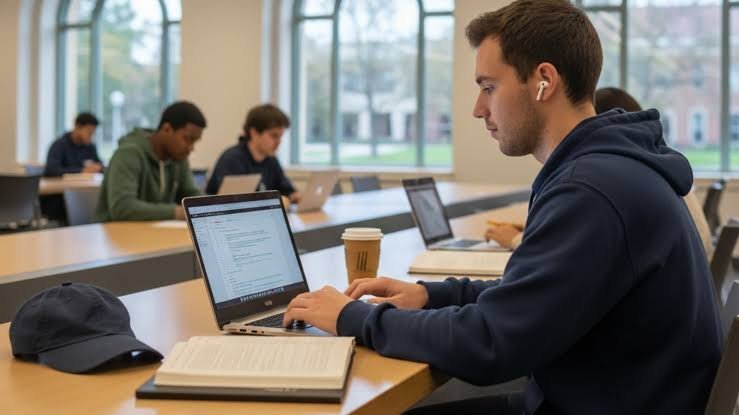
Finding a reliable laptop that fits a student budget without compromising on essential performance can be challenging. Whether you need a machine for attending online classes, researching assignments, typing up reports, or streaming video lessons, the market offers several capable choices under ₹35,000.
To help you navigate your options, here is a breakdown of top budget-friendly student laptops designed for everyday academic productivity.
1. Primebook 2 Max (2026)
-
Price: ₹27,990 (after 38% off)
-
Display: 15.6-inch Full HD IPS Display
-
Processor & Memory: MediaTek Helio G99, 8GB RAM, 128GB UFS Storage
-
OS & Battery: Android 15 (PrimeOS 3.0), up to 12 hours battery life
Why Choose It: For students who prefer a larger screen for multitasking or viewing multiple windows side-by-side, the Primebook 2 Max offers a spacious 15.6-inch Full HD IPS display. Equipped with 8GB of RAM and 128GB of UFS storage, it handles day-to-day browsing, study apps, and media consumption smoothly. It also features a backlit keyboard for late-night study sessions. (Note: It runs on an Android-based PrimeOS, so keep app compatibility in mind depending on your coursework.)
2. Primebook 2 Pro (2026)
-
Price: ₹26,989 (after 33% off)
-
Display: 14.1-inch Full HD IPS Display
-
Processor & Memory: MediaTek Helio G99, 8GB RAM, 128GB UFS Storage
-
OS & Battery: Android 15 (PrimeOS 3.0), up to 14 hours battery life
Why Choose It: If you prefer a more portable form factor than the Max, the Primebook 2 Pro packs the same core performance—including 8GB RAM and the MediaTek Helio G99 processor—into a compact 14.1-inch chassis. With an impressive battery life rating of up to 14 hours and a backlit keyboard, it is an excellent grab-and-go companion for college campuses and libraries.
3. ASUS Chromebook CM1405 (2026)
-
Price: ₹28,990 (after 24% off)
-
Display: 14-inch Full HD Display (60Hz)
-
Processor & Memory: MediaTek Kompanio 540, 4GB RAM, 64GB SSD Storage
-
OS: Chrome OS (Weight: 1.37 kg)
Why Choose It: Weighing just 1.37 kg, the ASUS Chromebook CM1405 is built for extreme portability. Running on Google’s secure and lightweight Chrome OS, it boots up quickly and integrates seamlessly with web-based productivity tools like Google Docs, Classroom, and Zoom. While its 4GB RAM is better suited for lighter multitasking, the inclusion of fast SSD storage makes everyday navigation snappy.
4. ASUS Chromebook CM1505 (2026)
-
Price: ₹30,990 (after 3% off)
-
Display: 15.6-inch Full HD Display (60Hz)
-
Processor & Memory: MediaTek Kompanio 540, 4GB RAM, 64GB SSD Storage
-
OS: Chrome OS (Weight: 1.49 kg)
Why Choose It: If you want the simplicity and security of Chrome OS combined with a larger screen, the CM1505 provides a 15.6-inch viewing area while keeping the weight down to a manageable 1.49 kg. It is a solid choice for students who prefer a bigger display for reading research papers or watching educational videos without stepping up to a heavier Windows laptop.
5. ASUS CX14 Chromebook
-
Price: ₹31,890 (after 11% off)
-
Display: 14-inch Full HD IPS Display
-
Processor & Memory: Intel Celeron N4500, 4GB Memory, 64GB eMMC Storage
-
OS: Chrome OS
Why Choose It: The ASUS CX14 is another dependable Chromebook option featuring a crisp Full HD IPS panel. Powered by an Intel Celeron processor and Chrome OS, it provides a straightforward, distraction-free environment for basic web browsing, word processing, and online classes. Essential connectivity ports like HDMI offer convenient flexibility for connecting to external displays.
6. Acer Aspire 3 Laptop (A325-42)
-
Price: ₹38,689 (Note: Slightly above the strict ₹35,000 threshold)
-
Display: 15.6-inch Full HD IPS Display
-
Processor & Memory: AMD Ryzen 3 5400U, 8GB DDR4 RAM, 256GB NVMe SSD
-
OS: Windows 11 Home
Why Choose It: For students whose courses require full desktop software or a traditional Windows environment, the Acer Aspire 3 is a powerful alternative. It features a robust AMD Ryzen 3 processor, 8GB of DDR4 RAM, and a generous 256GB NVMe SSD for fast file access and ample storage. Backed by Windows 11 Home and Wi-Fi 6 connectivity, it bridges the gap between budget constraints and full-fledged productivity.
Quick Buying Guide: What to Look For Under ₹35,000
-
Processor & RAM: Try to aim for 8GB of RAM if your budget allows (found in the Primebook and Acer options) to ensure smooth multitasking across multiple browser tabs and documents. 4GB Chromebooks work well for strictly web-based tasks.
-
Storage Type: Solid State Drives (SSDs) or UFS storage offer significantly faster boot and file transfer speeds compared to older eMMC drives.
-
Operating System: Choose Windows if you need offline desktop software (like MS Office apps or specific academic tools), Chrome OS for a fast, cloud-centric experience, or Android/PrimeOS for app versatility.
-
Portability & Battery: If you carry your laptop daily, look for a lightweight build (under 1.5 kg) and a reliable battery life that can last through a full day of classes.
