

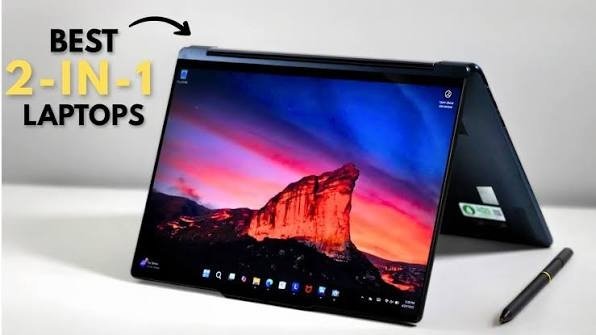
Carrying both a dedicated laptop and a tablet is a hassle that modern commuters, students, and professionals no longer need to endure. Today’s 2-in-1 convertible laptops seamlessly bridge the gap, delivering the heavy-lifting productivity of a computer alongside the lightweight, touch-friendly convenience of a tablet.
Whether you are hunting for a budget-friendly note-taker, a future-proof AI workhorse, or a premium entertainment hub, this curated guide highlights the top 2-in-1 laptops that adapt perfectly to your lifestyle.
At a Glance: Key Specifications Comparison
| Laptop Model | Processor | Display Type & Size | Storage Capacity | Key Highlight |
| HP Pavilion x360 | Intel Core i5-1355U | 14″ FHD IPS Touch | 512GB SSD | Crystal-clear 5MP webcam |
| Acer Aspire 3 Spin 14 | Intel Core i3-N305 | 14″ WUXGA Touch | 512GB SSD | Budget-friendly with active stylus |
| Lenovo Yoga 7 | Intel Core Ultra 5 125H | 14″ WUXGA OLED | 1TB SSD | Gorgeous OLED & generous storage |
| Dell 14 Plus 2-in-1 | Intel Core Ultra 5 226V | 14″ FHD+ Touch | 512GB SSD | Highly efficient, AI-enabled |
| ASUS Vivobook 14 Flip | Intel Core Ultra 5 (Gen 2) | 14″ FHD+ Touch | 512GB SSD | 40 TOPS NPU Copilot+ PC |
| Lenovo IdeaPad 5 2-in-1 | Intel Core Ultra 5 322 | 14″ WUXGA IPS Touch | 512GB SSD | Great value AI PC with included pen |
| HP OmniBook X Flip | Intel Core Ultra 5 226V | 14″ 3K OLED (120Hz) | 1TB SSD | Ultra-premium 120Hz display |
| HP OmniBook Ultra Flip | Intel Core Ultra 7 258V | 14″ OLED Touch | 1TB SSD | Flagship performance & 32GB RAM |
Detailed Reviews: The Best 2-in-1 Laptops
1. HP Pavilion x360 (Value for Money)
The HP Pavilion x360 balances robust everyday performance with exceptional hybrid work capabilities. Powered by a 13th Gen Intel Core i5 processor and paired with a sharp 5MP camera, it is an ideal choice for professionals and students who spend hours in virtual meetings.
-
Pros: Outstanding 5MP webcam; sturdy, versatile hinge design; 16GB RAM for smooth multitasking.
-
Cons: Uses older DDR4 memory; display could be brighter for outdoor use.
-
Ideal For: Hybrid workers and students prioritizing video calls and everyday productivity.
2. Acer Aspire 3 Spin 14 (Budget-Friendly)
If you need stylus versatility without breaking the bank, the Acer Aspire 3 Spin 14 delivers. Featuring an included AES pen and a taller WUXGA display, it provides ample digital real estate for sketching, reading, and taking notes in class.
-
Pros: Very affordable; included active stylus; taller 16:10 aspect ratio screen.
-
Cons: Entry-level processor isn’t meant for heavy workloads; basic webcam performance.
-
Ideal For: School and college students looking for an affordable digital notebook.
3. Lenovo Yoga 7 (Best Entertainment & Productivity Balance)
The Lenovo Yoga 7 stands out thanks to its jaw-dropping 14-inch WUXGA OLED screen. Boasting deep blacks, vibrant colors, and 400 nits of brightness, it turns streaming movies into a cinematic experience, while the Intel Core Ultra 5 chip handles heavy multitasking effortlessly.
-
Pros: Stunning OLED display panel; spacious 1TB SSD storage; premium aluminum chassis.
-
Cons: Premium price tag; static elements on OLED panels require mindful usage over time.
-
Ideal For: Content creators, film buffs, and users who demand a premium visual experience.
4. Dell 14 Plus 2-in-1 (Best Battery Efficiency)
Built on Intel’s highly efficient Core Ultra 5 226V architecture, the Dell 14 Plus 2-in-1 is tailored for life on the move. Alongside fast LPDDR5X RAM, its upgraded Intel Arc graphics provide a noticeable boost for casual photo editing and multimedia tasks.
-
Pros: Future-ready AI platform; high-speed, power-efficient memory; strong integrated Arc graphics.
-
Cons: Display panel isn’t as color-accurate or vibrant as OLED competitors; slightly heavier at 1.61 kg.
-
Ideal For: Travelers and professionals who need modern hardware and reliable on-the-go battery efficiency.
5. ASUS Vivobook 14 Flip (Best Copilot+ AI PC)
The ASUS Vivobook 14 Flip is a certified Copilot+ AI PC, integrating a dedicated NPU capable of 40 TOPS. It lets users take full advantage of localized AI features, smart searching, and on-device assistance without sacrificing its lightweight 1.57 kg footprint.
-
Pros: Dedicated AI architecture (40 TOPS); highly efficient processor; highly responsive touch controls.
-
Cons: Screen resolution is limited to FHD+; not built for gaming.
-
Ideal For: Tech enthusiasts wanting to leverage next-generation AI productivity tools.
6. Lenovo IdeaPad 5 2-in-1 (Best AI Value)
The IdeaPad 5 2-in-1 serves as an accessible entry point into the world of Copilot+ AI computing. It comes bundled with the Lenovo Pen 2 and includes accidental damage protection, making it a rugged, secure investment for busy students.
-
Pros: Excellent feature-to-price ratio; active stylus included; bundled accidental damage protection.
-
Cons: The IPS display lacks the vibrant contrast ratios found on OLED models.
-
Ideal For: Value-focused buyers wanting a highly secure, stylus-equipped AI computer.
7. HP OmniBook X Flip OLED (Best Premium Display)
Previously known under the popular “Envy” moniker, the OmniBook X Flip features a breathtaking 3K OLED touchscreen running at a buttery-smooth 120Hz refresh rate. Weighing just 1.38 kg, it defines ultra-portable luxury.
-
Pros: Breathtaking 3K resolution with a smooth 120Hz refresh rate; ultra-lightweight chassis; 40 TOPS AI NPU.
-
Cons: Expensive; internal components are generally non-upgradeable.
-
Ideal For: Creative professionals and executives looking for top-tier display tech and premium portability.
8. HP OmniBook Ultra Flip (Ultimate Flagship Choice)
Replacing the legendary “Spectre” line, the OmniBook Ultra Flip sits at the absolute pinnacle of convertible design. Packing a powerful Intel Core Ultra 7 processor, a massive 32GB of LPDDR5X RAM, and a blindingly bright 500-nits OLED screen, it masters demanding creative workflows with ease.
-
Pros: High-tier flagship performance; 32GB RAM for zero bottlenecking; incredibly lightweight at 1.34 kg.
-
Cons: Massive financial investment; overkill features for casual or basic users.
-
Ideal For: Power users, developers, and premium creators who demand uncompromised performance on the road.
Essential Factors to Keep in Mind Before Buying
Form Factor: 360-degree convertibles keep the keyboard permanently attached so you can flip it backward, whereas detachable models allow you to remove the keyboard entirely to shed weight.
Display Quality: If your priority is entertainment or digital art, look for an OLED screen with high color accuracy. For heavy indoor typing and office tasks, a sharp IPS panel will easily suffice.
Stylus Compatibility: Don’t assume every touchscreen device includes a stylus. If you are an avid note-taker, look for models that explicitly bundle an active digital pen in the box.
Battery Life & Weight: For regular travel, target a machine weighing under 1.5 kg paired with an efficient processor (such as Intel’s Core Ultra series) to keep you working all day without hunting for a wall outlet.
