

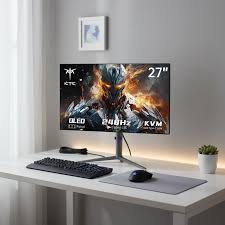
For years, the standard computer monitor sat comfortably in the 21- to 24-inch range. However, as multitasking demands grow, remote work becomes permanent, and entertainment habits shift toward high-definition streaming and gaming, the landscape has changed. Today, the 27-inch display has firmly established itself as the gold standard for desktop setups. Offering a harmonious balance between expansive screen space and a manageable physical footprint, a 27-inch monitor transforms how you interact with your workflow.
The Ideal Balance for Work and Play
One of the primary reasons users gravitate toward 27-inch models is screen real estate. Compared to smaller panels, a 27-inch monitor allows you to comfortably snap two full-sized windows side by side without text shrinking to illegible sizes. Whether you are drafting a report while referencing a spreadsheet, editing high-resolution photos, or managing video timelines, the extra breathing room drastically reduces the need for constant window-switching.
Furthermore, these monitors serve as versatile entertainment hubs. When paired with a QHD (1440p) or 4K resolution, text rendering becomes razor-sharp, and pixel density hits a sweet spot that prevents individual pixels from becoming distracting at normal viewing distances.
Key Considerations Before Buying
Choosing the right 27-inch monitor requires looking past flashy marketing and evaluating specifications that impact daily use:
-
Resolution Matters: While Full HD (1080p) options remain budget-friendly, a Quad HD (2560 x 1440) resolution is widely considered optimal for a 27-inch panel. It provides significantly crisper text and graphics without demanding the heavy GPU horsepower required for native 4K gaming.
-
Panel Technology: In-Plane Switching (IPS) panels reign supreme for general productivity and creative tasks due to their superior color accuracy and wide viewing angles. Conversely, Vertical Alignment (VA) panels excel at deeper contrast ratios, making them popular for movie-watching and immersive, dark-room gaming.
-
Refresh Rates: High refresh rates (ranging from 100Hz to 144Hz and beyond) are no longer reserved strictly for hardcore gamers. Even casual users benefit immensely from a higher refresh rate, which makes scrolling through documents, web pages, and UI elements noticeably smoother and easier on the eyes.
-
Ergonomics and Eye Comfort: Because 27-inch screens have a larger surface area, features like height adjustment, tilt, swivel, and flicker-free blue-light filters are crucial for preventing neck strain and fatigue during long desk sessions.
Navigating the Market
The current market offers robust choices across every budget tier—from value-driven 100Hz Full HD panels starting under ₹10,000 to feature-rich 2K and 4K displays equipped with USB-C power delivery and ergonomic stands. Whether you are setting up a minimalist home office, a dedicated content creation station, or a high-performance gaming rig, investing in a quality 27-inch monitor is one of the most impactful upgrades you can make to your digital workspace.
